
Recommended
Foundry's package browser
- In Foundry, open Configuration then Add-on Modules.
- Click Install Module.
- Search "Familiar", then click Install.
- Enable Familiar in your world, then paste your licence key and click Activate.
Step 1 of 2
Familiar is in the official Foundry package directory. Search for it, install it from The Forge's Bazaar, or paste the manifest URL. All three install the current release; the first and last use Foundry's own Install Module dialog.
Hosted on forge-vtt.com? Install from the Bazaar instead of the Foundry dialog.
If you would rather paste it in, the manifest URL installs the same release from the same dialog.
https://github.com/Ryanjansen92/familiar-releases/releases/latest/download/module.json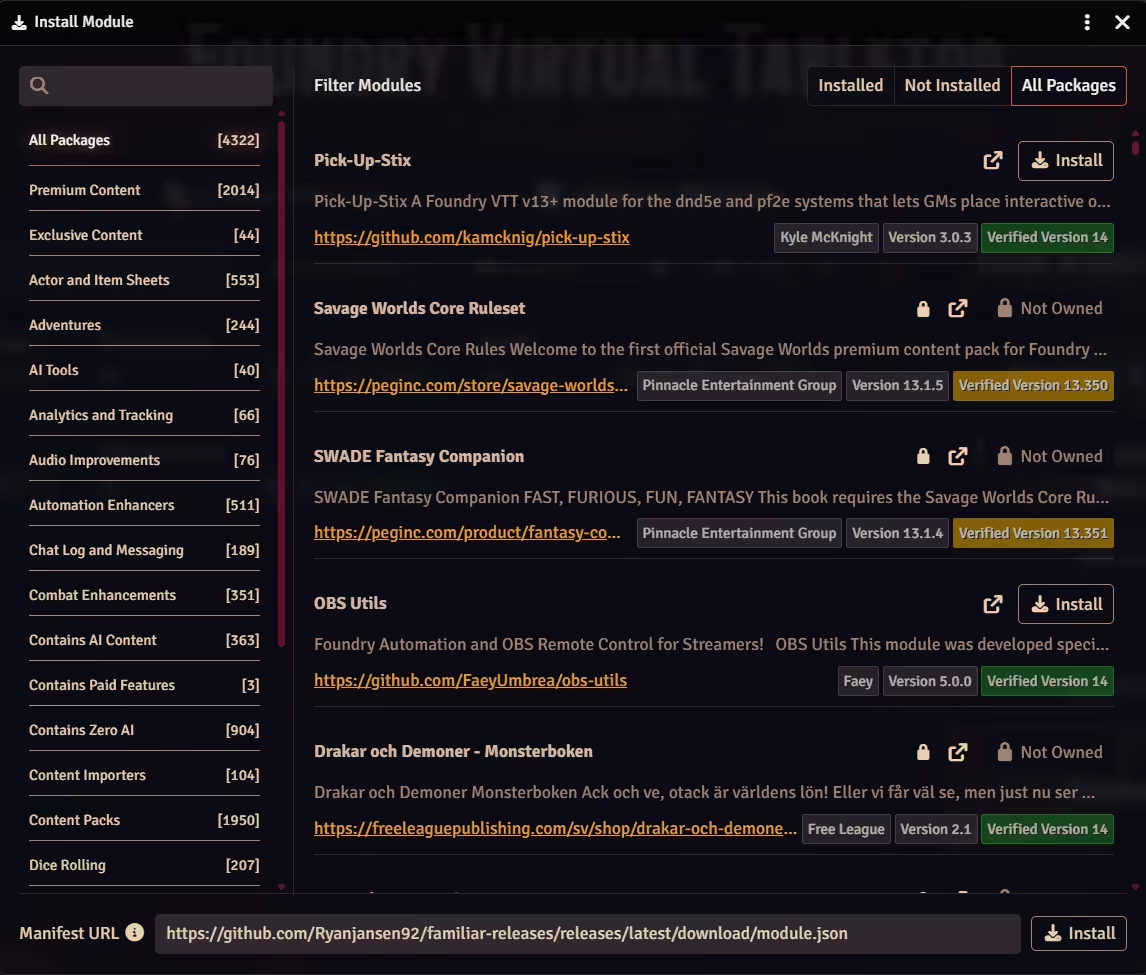
Step 2 of 2
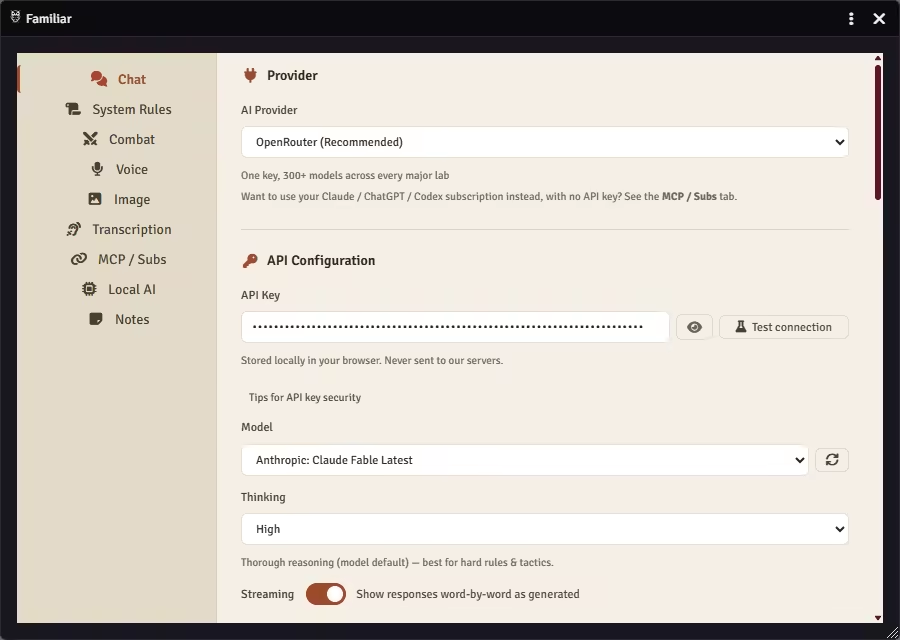
Paste an API key, point Familiar at the Claude, ChatGPT, Gemini, or Grok subscription you already pay for, or run a model on your own machine. Every path reaches the same 220 tools; the difference is where the model runs and who you pay.
Paste an API key and start talking to your game.
No server, no terminal, no config files. Live transcription, voice dictation, auto-pilot for NPC turns (D&D 5e), slash commands, and drag-and-drop attachments only work here. A Thinking control lets you set how hard the model reasons, dialled up for hard fights, down for quick lookups.
OpenRouter unlocks 300+ models on a single key. Local / custom server points the built-in chat at any OpenAI-compatible server you run, from its own Local AI settings tab.
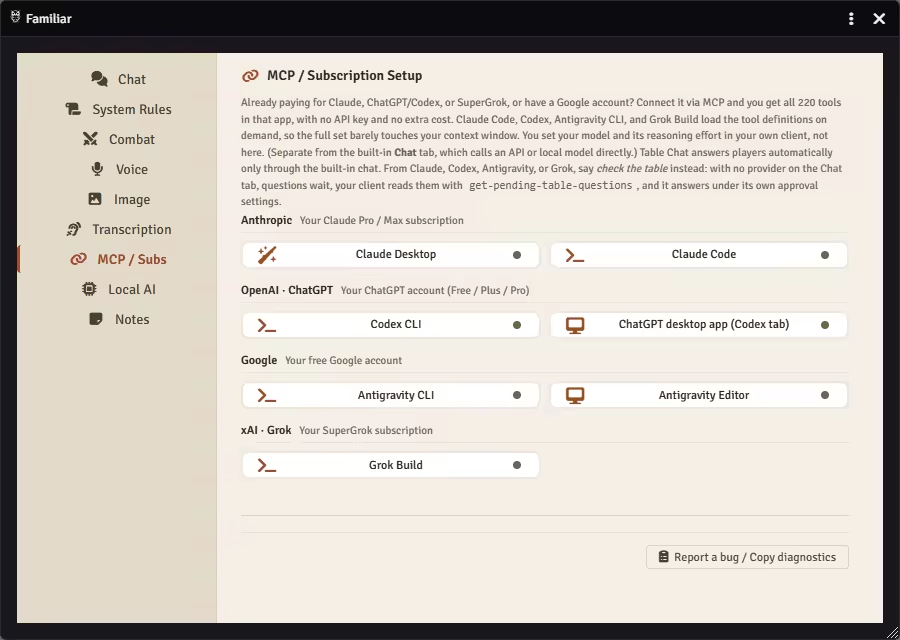
Already paying for Claude or SuperGrok, on any ChatGPT plan including Free, or have a Google account? Put it to work.
Connect through the Model Context Protocol and the plan you already have drives the same table from your own client at no extra token cost: the monsters' turns when you ask, every attack and spell checked against the 5e rules. The module ships with an MCP Setup Wizard: pick your client's card and it hands you the exact text, a config block to paste or a single command, secret already in it. Every card also carries a Copy help prompt for any AI chat you already have, the free web ones included: it explains, you type. Best for long, multi-step chains. Your model and its reasoning effort are set in your own client, not here.
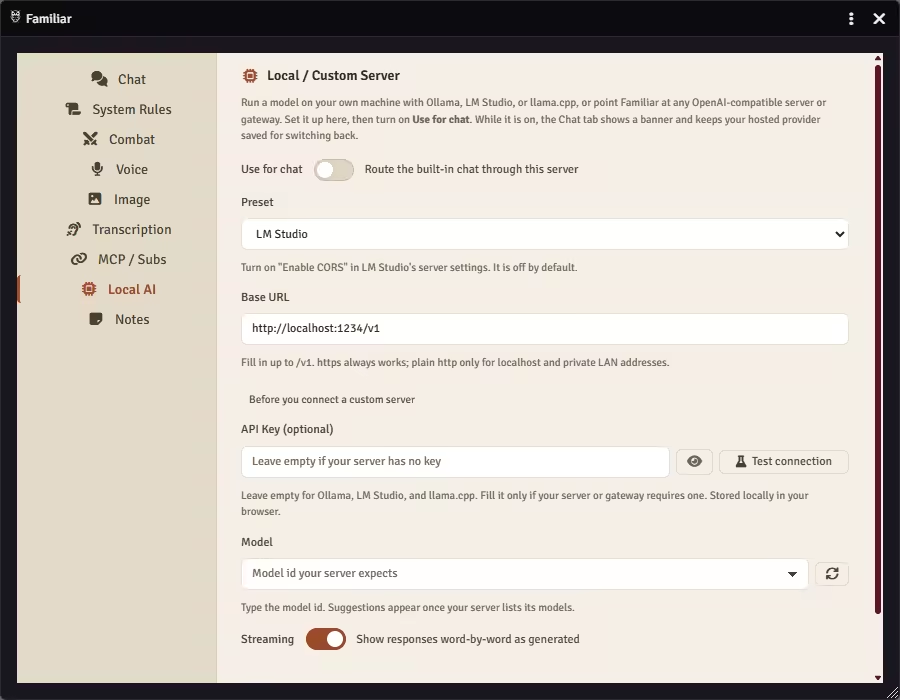
Your own machine, no per-token bill.
The same built-in chat, pointed at a server you run. Pick a preset, check the URL it fills in, and flip Use for chat on. Your hosted provider stays saved for switching back.
Two more pieces, and neither one is a model. One is where your prep lives, the other is where Foundry itself does.
Prep stays where you write it. Install Obsidian's community Local REST API plugin, point the Notes tab at your vault or at only the folders you name, and Familiar reads and searches those notes mid-session. It never writes back.
The Forge, another host, or a box under your desk. Familiar calls your AI from the browser, so whatever runs on your own computer stays reachable and the host never sits in the path. Hosted play does set a few conditions on the MCP side.
Most paid AI modules for Foundry route through their own servers and ration you by the message. Run out mid-session? Too bad. Familiar never proxies or marks up anything: your API keys go straight from your browser to the provider, and with MCP your subscription handles it. No middleman, no per-turn meter.
Open Familiar's chat in your world and ask what it sees: it reads the scene your party is standing in and answers from there. The long version of this page, with the Foundry versions and what to type first, is the setup guide.
Stuck on a step? I'm Ryan, I built Familiar, and the Discord is where I answer setup questions myself.